
Please verify your Form 16 for the concerned year and check if the Relief U/S 89(1) is present.
If the Relief U/S 89(1) is present please proceed with the rectification of the ITR form.
Please follow the below steps depicted for rectification.
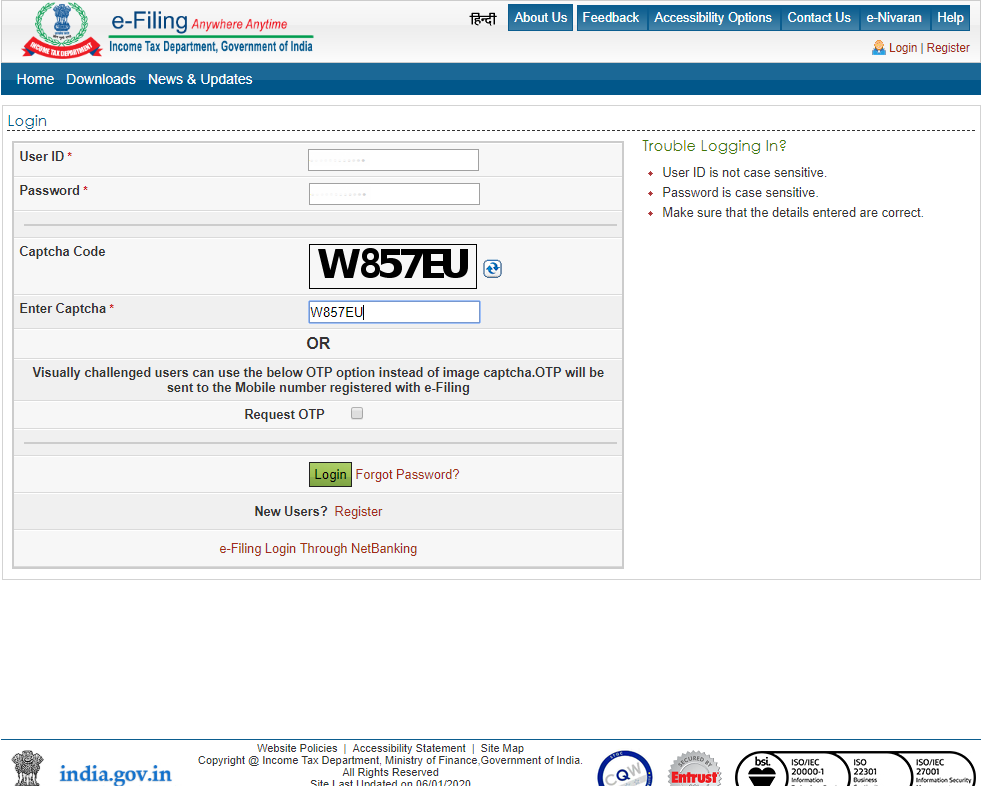
- Login to e-filing portal:
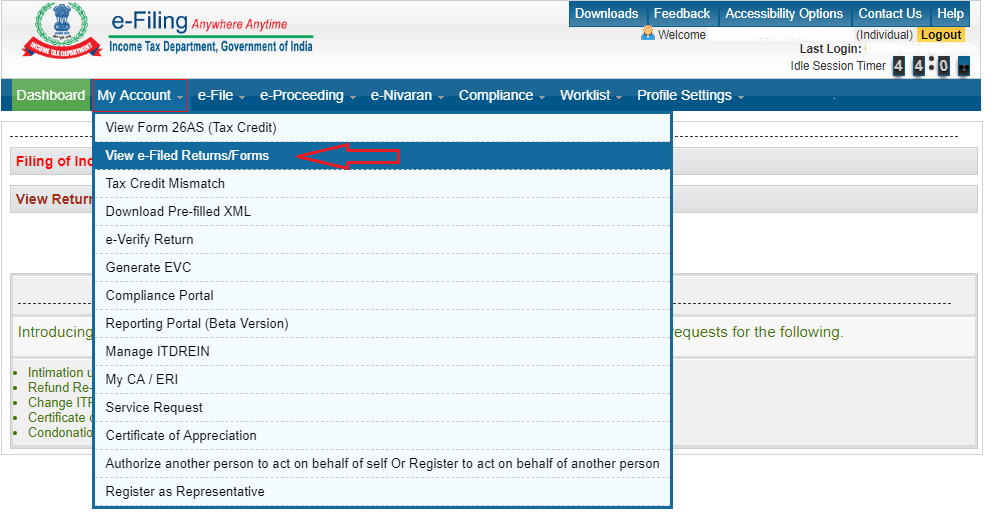
- Click on My account and navigate to View e-Filed Returns/Forms:
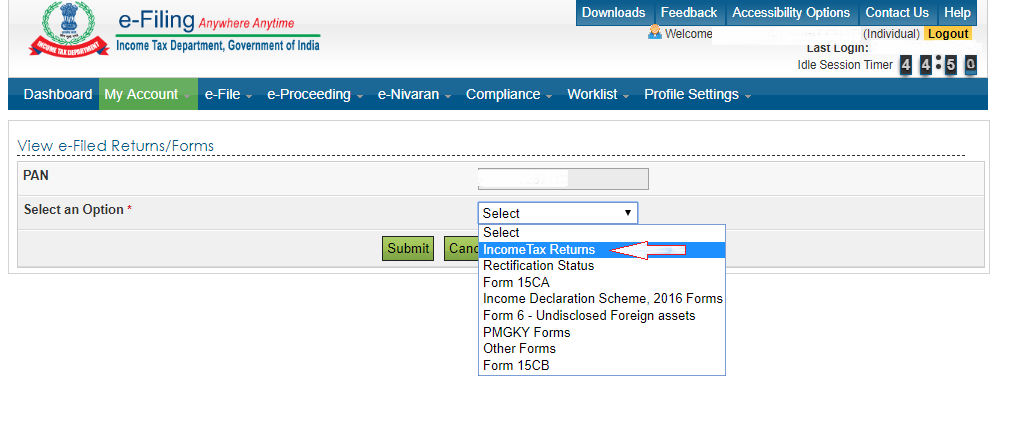
- In e-Filed Returns/Forms select Income Tax Returns from the dropdown:
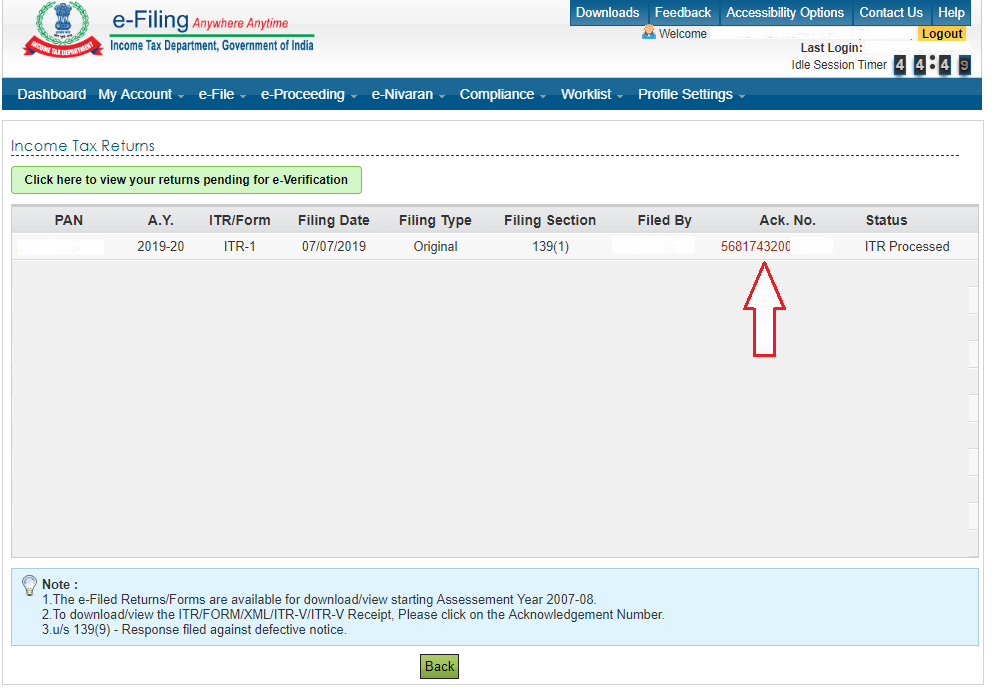
- Click on the Ack. No. for which you want to do a rectification:
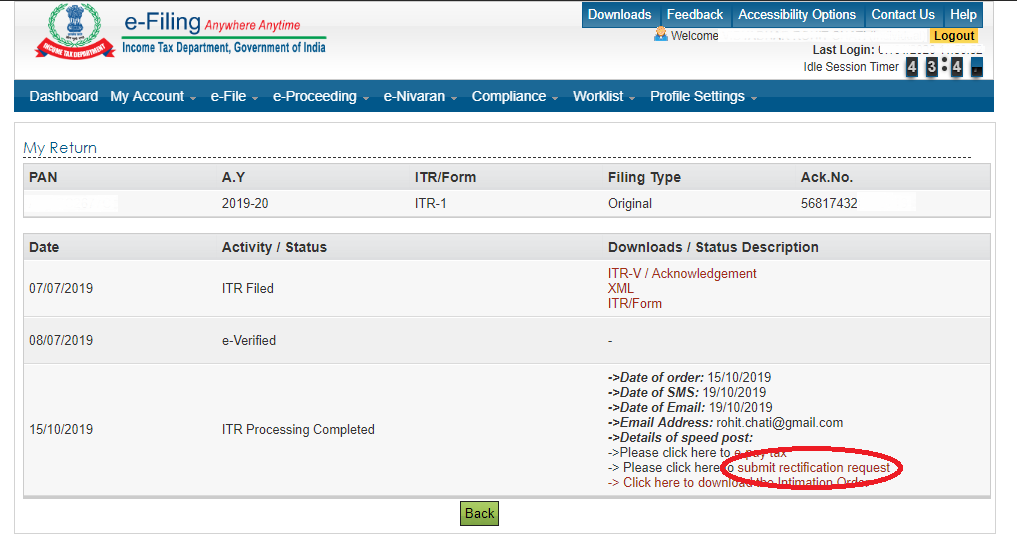
- In this step, click on submit rectification request to proceed further:
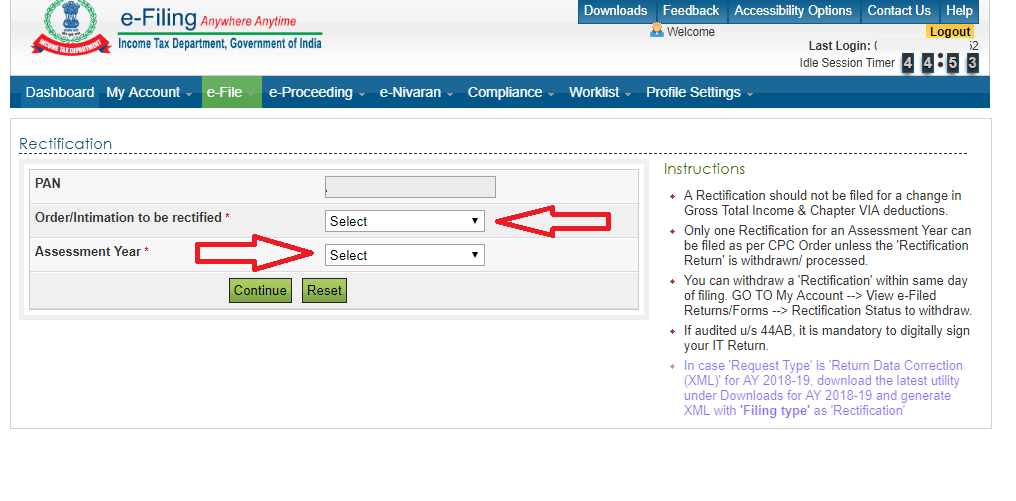
- Select Order/Intimation to be rectified and the concerned Assessment year:
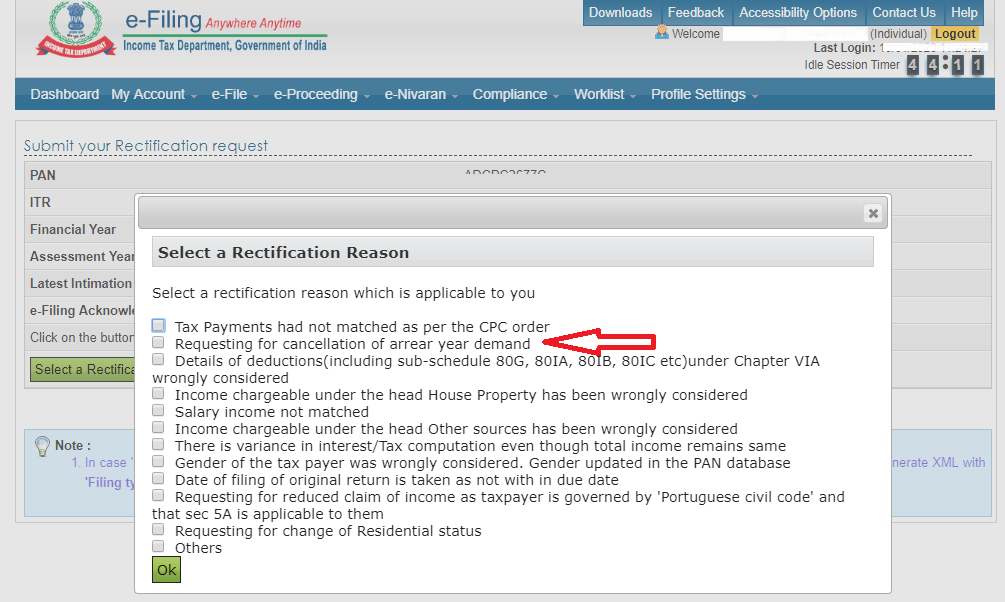
- Select the Rectification reason applicable to you from the list:
Comments
0 comments
Please sign in to leave a comment.